


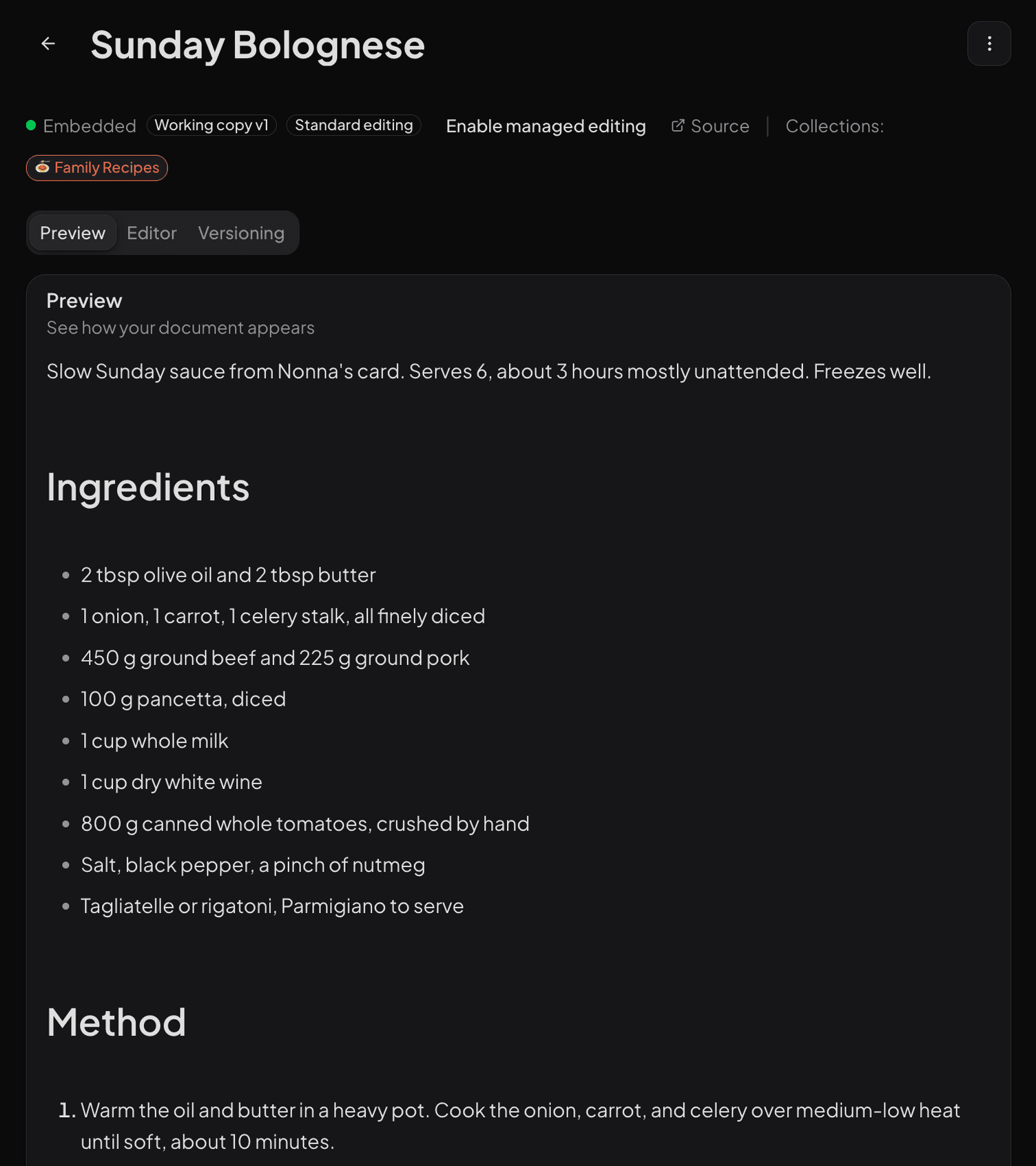
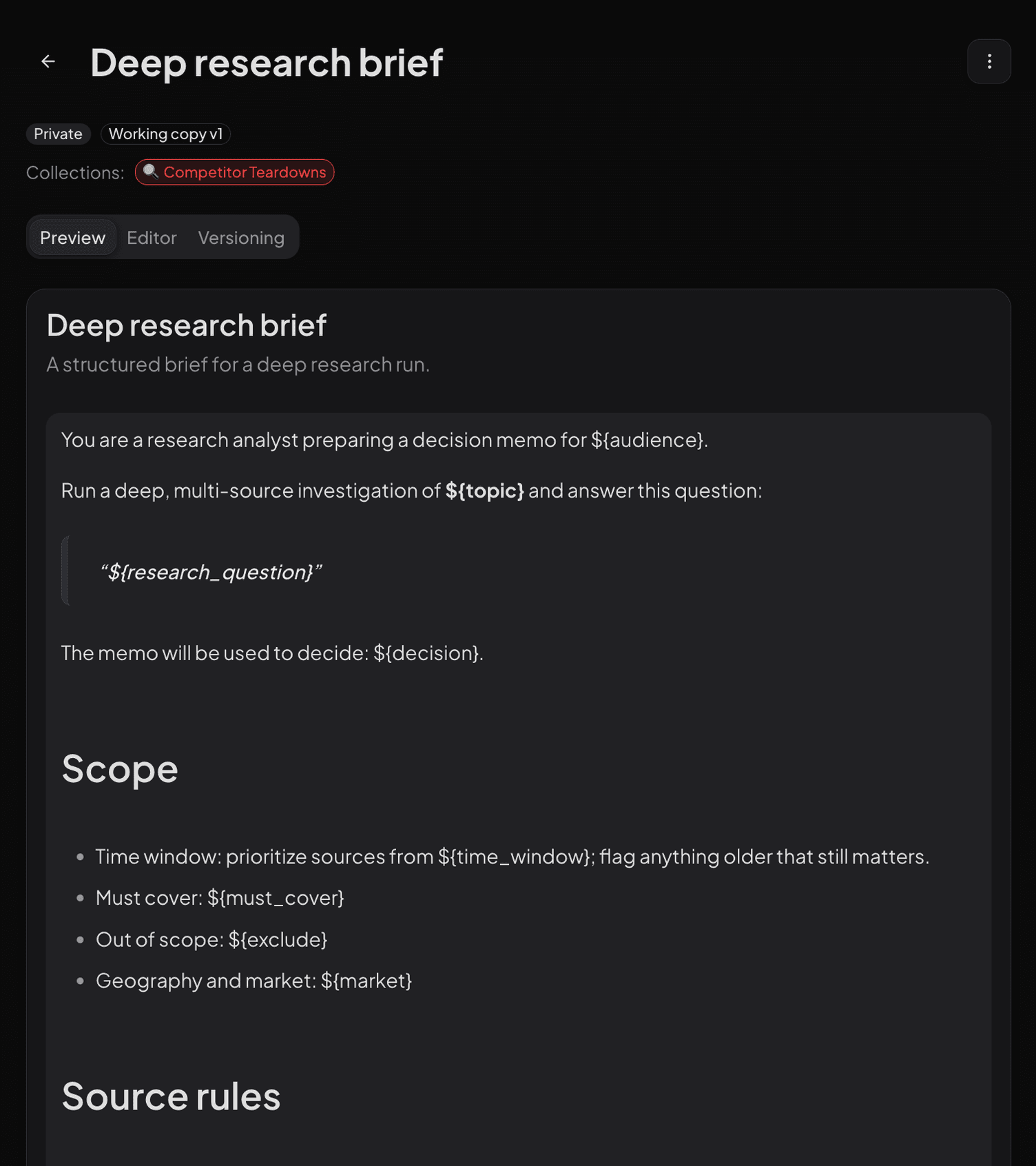

Stop losing your best AI work

Everything you want your AI to know, in one place.

Save the documents, research, and answers worth keeping. Organize them into collections. Use them in ChatGPT, Claude, Cursor, Grok, and more.

  • Collections. Group what belongs together into grounded context your tools can pull.

  • Documents. Write from any agent or app. Read what you save anywhere your work takes you.

  • Reusable prompts. Save the instructions you keep rewriting. Version and parameterize them.

  • MCP/API server. Full CRUD plus retrieval over the repository, OAuth hosted, API key local.

  • Deep search. Retrieve only the passage your agent needs, then expand around it when more context matters.

Works with the MCP clients you already use

  • Cursor
  • Claude
  • ChatGPT
  • VS Code
  • Windsurf
  • Amp
  • Factory
  • Grok

Your AI knowledge has a shelf life of one tab. Every AI tool stores context differently. None of them talk to each other. Every new conversation starts from zero.

Buried in a chat

Your best prompt is in a ChatGPT conversation from last Tuesday.

Gone with the session

That research doc you uploaded to Claude disappeared when the session ended.

Stuck in one project

The system prompt you perfected in Cursor sits in a project you have not opened in weeks.

Context Repo keeps your AI context together: collections, documents, and prompts for the tools you connect.

For developers: MCP, the REST API, and the CLI bring that context into agents, apps, and custom workflows.

What you keep

A home for everything worth reusing. One place for the collections, documents, and prompts you keep coming back to. Curate them once, then reach them from every AI tool you use.

The Collections index in the real dashboard, dark mode: the Collections title and subtitle, the search, Semantic and Keyword, New Collection, and Columns toolbar, then the table of collections with emoji marks, names, truncated descriptions, item count badges, last activity, and created times, running past the bottom edge.

Collections

Group what belongs together. Each collection becomes grounded context your connected AI tools can pull, the same way your agents do.

  • Grounded context for connected MCP clients
  • Hierarchical organization
  • Share read-only with a link
listgetcreateupdatedeleteaddremove

Documents

Bring in the source material worth keeping. Process 75+ file formats or scrape a page, and it is ready for any agent to read.

  • 75+ file formats (LlamaIndex)
  • Public page capture on Pro Max and Ultimate
  • Real-time processing status
listgetcreateupdatedelete

Reusable prompts

Save the instructions you keep rewriting. Version them, parameterize them, and call them from any tool.

  • Snapshot history and non-destructive restore
  • Placeholders with ${syntax}
  • Caller-managed placeholder values
listgetcreateupdatedelete

Curate once. Reach it everywhere you work, and so can your agents.

The dashboard is where you curate. The value lands inside your tools. One connection over MCP, the API, or OAuth reaches every client you use, and every agent you run.

ChatGPT

OAuth connection

Sign in with your Context Repo account inside ChatGPT. Your documents and prompts appear in the conversation.

Claude Desktop

MCP server config

Add Context Repo with a short JSON block. Paste it into claude_desktop_config.json.

Cursor

One-click deep link

Click once to configure Context Repo in your Cursor settings. No manual JSON editing.

MCP tools
29 MCP tools
API endpoints
35 API endpoints
file formats
75+ file formats
ways to connect
3 ways to connect

29

MCP tools behind one URL. Full CRUD over collections, documents, and prompts, plus retrieval and a cited reason answer.

The same repository is reachable over the REST API for builders and inside the dashboard for people. Whatever you save in one place is what every connected client reads.

No copy-paste between tools. No re-uploading the same file to three assistants. One connection, kept current.

Built for agents

Agent-grade by design. The openness that puts your context inside your apps is the same thing that lets your agents consume it. One repository, reachable over MCP and the REST API.

reason · illustrative transcript

question

What did we settle on for auth token rotation?

You standardized on Clerk session JWTs for first-party callers and bcrypt-hashed keys for machines. For unscoped questions, retrieval stays quiet below a relevance floor instead of bluffing an answer from weak matches.

citations

Auth modelAPI keysSecurity notes

gaps

The retrieved evidence doesn't establish refresh-token expiry windows.

Ask a question and get a best-effort cited answer with non-exhaustive limitations. Disagreements appear as ordinary cited statements in the answer. Reachable from connected MCP clients or the REST API.

Reasoned answers

Ask a question and get a best-effort cited answer with inspectable sources and non-exhaustive limitations.

reason

Deep search

Hierarchical retrieval lands on the exact passage, then walks parent, sibling, and surrounding chunks without re-querying.

deep_searchdeep_readdeep_expand

Version history

Prompt content edits and changed canonical document fields create history. Restore an earlier snapshot without deleting the intervening versions.

get_*_versionsrestore_*_version

Broad ingest

The Context Repo ingestion and upload pipeline supports 75+ file formats. MCP create_document accepts plain text or Markdown.

create_documentscrape

MCP server

Full CRUD plus retrieval over the repository, with ChatGPT auto-detect via the search and fetch aliases.

searchfetch

Collections as context

Read collection members directly, or pass collectionId to deep_search or reason to restrict document retrieval.

get_collectiondeep_searchreason

Search that lands on the exact passage.

Search is not a flat list of hits. Deep Search returns ranked, hierarchical chunks with section paths and sibling navigation, so your AI client jumps to the passage that answers the question, then expands up, down, or sideways for context.

  • Hierarchical vector search down to paragraph level
  • Section paths and sibling navigation in every hit
  • Expand a hit without re-running the query
Deep Search result in the dashboard: the top hit expanded to its Paragraph chunk with the section path, the matched passage, its relevance score, and the up, down, previous, next, and surrounding navigation buttons; the next result fades out under the card.

See what changed. Restore what worked.

Prompt content updates and changed canonical document fields create history; unchanged saves are no-ops. Restore an earlier snapshot in one click without deleting the versions that followed it.

  • Line-level visual diffs between recorded versions
  • Non-destructive restore keeps the intervening versions
  • History over MCP and the REST API, not just the dashboard
Document version history in the dashboard: one recorded version expanded with its timestamp, actor, line counts, a Restore button, and the line-level diff against the previous version with removed lines in red and added lines in green; the lower diff lines fade out under the card.

The doors you build through. Web dashboard for People. MCP server for agents. REST API and CLI for builders. Chrome extension for capture.

Web dashboard

Where people curate. Upload, organize, search, and share.

Open the dashboard

MCP server

Where agents read and write. One URL for Claude, Cursor, ChatGPT, and other MCP clients.

Install the MCP server

REST API and CLI

Where builders integrate. The same repository over plain HTTP, or from any shell.

Get the CLI

Chrome extension

Where capture happens. Save a page or a chat without leaving the tab.

Get the extension

One store. Every AI tool. Yours and your agents'.

The documents, research, and prompts worth reusing, versioned, searchable, and available from every AI tool you use. Start free today.

Illustrative activity: documents and prompts lighting up as connected AI tools read and write them.