
One place for your context. Every tool reads it.
Capture context anywhere, manage it once, and reach it from every AI tool you use. 29 MCP tools, 75+ file formats, Deep Search inside documents.

Works with the MCP clients you already use
 Cursor
 Claude
 ChatGPT
 VS Code
 Windsurf
 Amp
Amp Factory
 Grok
Grok
Developer note
I stopped losing research to closed tabs. The extension saves the page or the chat as a Markdown document in my repository, and Claude Code can read it the next morning without me pasting anything.
Everything the repository does for you.
75+ file formats
PDF, Word, Excel, PowerPoint, images with OCR, and code files, parsed with LlamaIndex into searchable context.
Three capture paths
Save visible ChatGPT and Claude chats as role-tagged Markdown, capture a public page URL, or send selected page content.
Collections
Group prompts and documents into named folders scoped per project, with tags and explicit membership.
Full version history
Prompt content edits and document changes are versioned. Restore an earlier version, and pin the version a shared link shows.
MCP server, 29 tools
Plug your collections into ChatGPT, Claude, Cursor, Codex, Claude Code, and other MCP clients.
Deep Search
Hierarchical vector search that lands on the exact passage inside a document, then expands for context.
How context moves.
Read the quickstart
You save it. From the Chrome extension, a file upload in any of 75+ formats, or the dashboard editor.
Context Repo keeps it. Version history on every prompt and document, plus indexing so Deep Search finds the exact passage.
Agents use it and add to it. ChatGPT, Claude, Cursor, and Claude Code read and save through 29 MCP tools. Your apps use the REST API.
Three surfaces. One repository.
The problem
Every AI chat keeps your history to itself. The plan you worked out in ChatGPT never reaches Claude or Grok, so you paste it back in by hand.
How Context Repo helps
Save what matters from ChatGPT, Claude, or Grok, and pull it into any chat that connects through MCP or a plugin. Your context goes where you go.

Developer note
One MCP server for every tool I use. Cursor, Claude, and ChatGPT read the same prompts and specs, so the context is the same in whichever one I have open.
Built for every workflow. Researching, coding, or writing.
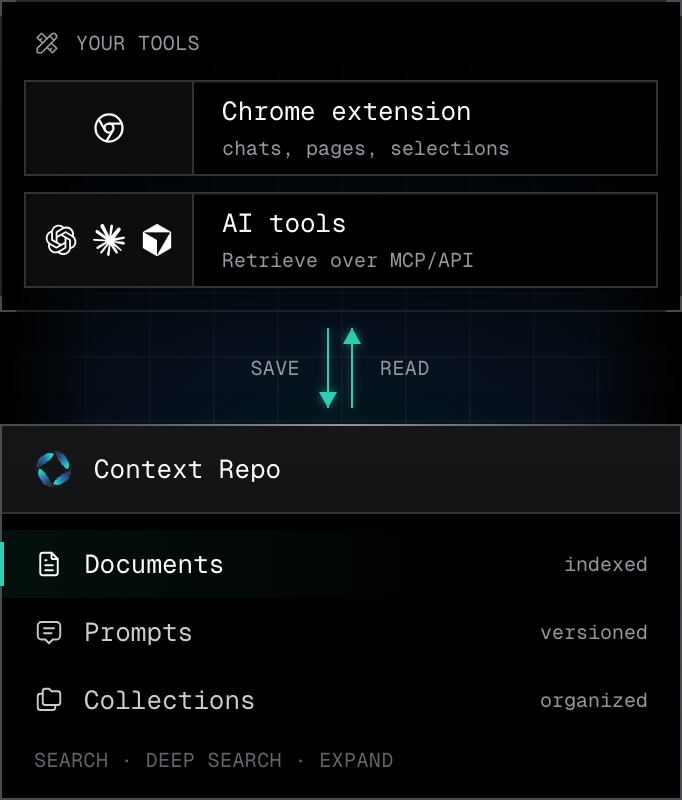
Researchers and knowledge workers
- Capture public page URLs or selected content from Chrome
- Semantic catalog search, plus Deep Search inside documents
- Bring grounded context into ChatGPT, Claude, or Cursor over MCP
Capture papers, articles, and documentation. Build a knowledge base your connected AI tools can retrieve from once it is indexed.
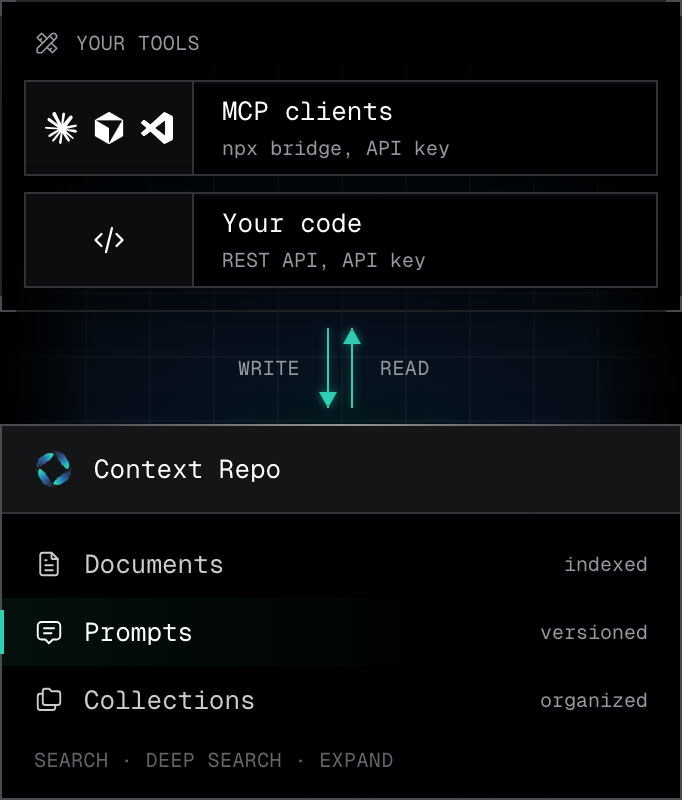
Developers and engineers
- 29 MCP tools for Claude, Cursor, and VS Code
- Version-controlled prompts
- API keys for programmatic access
Store coding prompts, API docs, and specs. Edit prompts from Cursor or your IDE, and your code reads the new version with an API key.
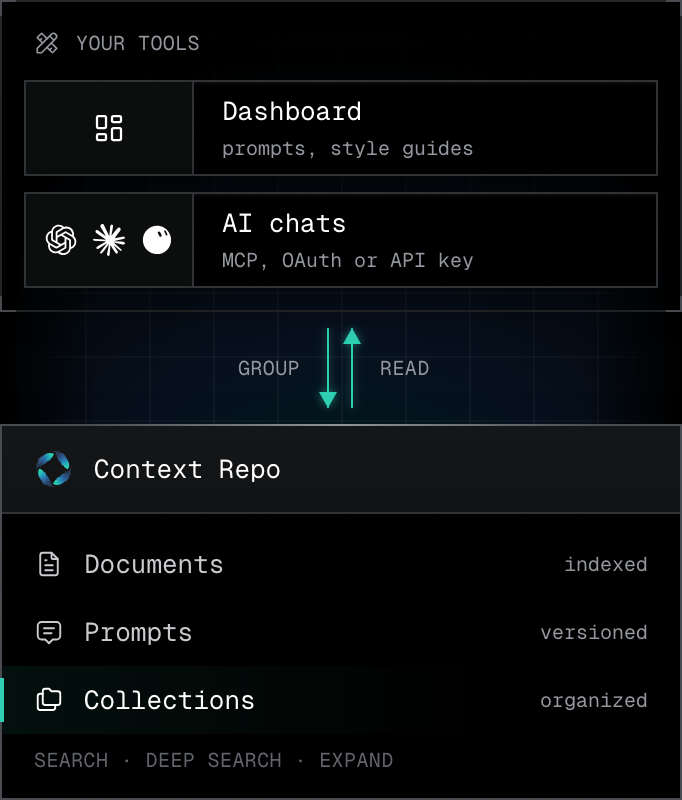
Content creators and writers
- Prompt templates with variables
- Collections with tags and explicit membership
- MCP server for Claude, ChatGPT, and more
Keep writing prompts, style guides, and references together. Hold one voice across everything you publish.
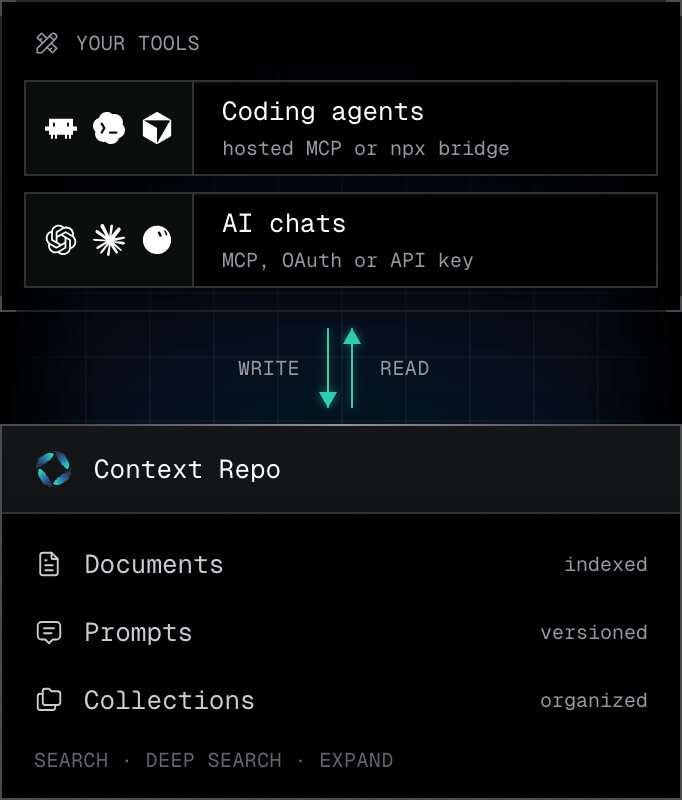
Any AI client you already use
- 29 MCP tools for read, search, and write
- Deep Search with hierarchical navigation
- Save from one client, read it from the next
The AI does the chatting. ChatGPT, Claude, Cursor, Codex, or Claude Code read your grounded context from Context Repo and can save back what they make.


Connect the client you already use. One URL, every assistant.

Claude Desktop
MCP server config. A short JSON block brings all 29 hosted tools into Claude.
Setup guide
Cursor
One-click deep link. Context Repo lands in your Cursor settings with no manual editing.
Setup guideChatGPT
ChatGPT app with OAuth. Sign in once and your documents and prompts appear in the conversation.
Connect ChatGPT
Factory
MCP integration for autonomous agents. Droids read and write the same repository you curate.
Other clientsDeveloper note
Every prompt keeps its version history. When an agent starts behaving differently, I read the diff between versions instead of guessing, and restore the one that worked.
Your questions, answered.
Context Repo is an AI context platform that lets you capture, organize, and retrieve prompts, documents, and collections from compatible AI clients. It includes a web dashboard, Chrome Extension, MCP Server with 29 tools, and a ChatGPT App.
Context Repo has documented connection paths for Claude, Cursor, ChatGPT, Factory, Grok Bot, Amp, and VS Code. Other clients need compatible Streamable HTTP authentication or stdio server support.
Context Repo supports 75+ file formats including PDF, Word, Excel, PowerPoint, images with OCR, and code files, all processed through LlamaIndex parsing.
Start free
Still copying context between tools?
Put it in one place instead.
Illustrative activity: documents and prompts lighting up as connected AI tools read and write them.